---
title: He Was Drowning in 120 Emails a Day. One Prompt Changed Everything.
description: How a 10-second AI prompt saved an Op's Manager 2 hours a day on email, why most businesses are sitting on tools they've already paid for but never use.
image: https://www.leanlearningcollective.com/hubfs/Copilot%20on%20Laptop%20image.webp
---
[Skip to main content](https://www.leanlearningcollective.com/blog/he-was-drowning-in-120-emails-a-day.-one-prompt-changed-everything#main-content)
[   ](https://www.leanlearningcollective.com)
- [Who we help](https://www.leanlearningcollective.com/who-we-help)
- Show submenu for Solutions Solutions
- [Custom Integrations](https://www.leanlearningcollective.com/custom-workflow-integrations)
- [Case Studies](https://www.leanlearningcollective.com/case-studies)
- [About Us](https://www.leanlearningcollective.com/about-us)
- Show submenu for Resources Resources
- [Blog](https://www.leanlearningcollective.com/blog)
- [Instant AI Opportunity Audit](https://www.leanlearningcollective.com/ai-audit)
- [Business Growth Framework](https://www.leanlearningcollective.com/transform-your-business-framework-for-success)
- [Join the AI Community](https://www.leanlearningcollective.com/community)
Open main navigation
Close main navigation
- [Who we help](https://www.leanlearningcollective.com/who-we-help)
- Show submenu for Solutions Solutions
- Solutions
- [Custom Integrations](https://www.leanlearningcollective.com/custom-workflow-integrations)
- [Case Studies](https://www.leanlearningcollective.com/case-studies)
- [About Us](https://www.leanlearningcollective.com/about-us)
- Show submenu for Resources Resources
- Resources
- [Blog](https://www.leanlearningcollective.com/blog)
- [Instant AI Opportunity Audit](https://www.leanlearningcollective.com/ai-audit)
- [Business Growth Framework](https://www.leanlearningcollective.com/transform-your-business-framework-for-success)
- [Join the AI Community](https://www.leanlearningcollective.com/community)
- [Instant AI Audit](https://www.leanlearningcollective.com/ai-audit)
[Contact Us](https://www.leanlearningcollective.com/contact-us)
[Instant AI Audit](https://www.leanlearningcollective.com/ai-audit)
[Contact Us](https://www.leanlearningcollective.com/contact-us)
[Blog](https://www.leanlearningcollective.com/blog)
Tags
- [SmartStop](https://www.leanlearningcollective.com/blog/tag/smartstop)
- [SmartOTIF](https://www.leanlearningcollective.com/blog/tag/smartotif)
- [AI](https://www.leanlearningcollective.com/blog/tag/ai)
- [Productivity](https://www.leanlearningcollective.com/blog/tag/productivity)
- [leana](https://www.leanlearningcollective.com/blog/tag/leana)
- [FAQs](https://www.leanlearningcollective.com/blog/tag/faqs)
- [SME](https://www.leanlearningcollective.com/blog/tag/sme)
- [B2B](https://www.leanlearningcollective.com/blog/tag/b2b)
- [Coaching](https://www.leanlearningcollective.com/blog/tag/coaching)
- [Krones Labeller](https://www.leanlearningcollective.com/blog/tag/krones-labeller)
- [SmartStop](https://www.leanlearningcollective.com/blog/tag/smartstop)
- [SmartOTIF](https://www.leanlearningcollective.com/blog/tag/smartotif)
- [AI](https://www.leanlearningcollective.com/blog/tag/ai)
- [Productivity](https://www.leanlearningcollective.com/blog/tag/productivity)
- [leana](https://www.leanlearningcollective.com/blog/tag/leana)
- [FAQs](https://www.leanlearningcollective.com/blog/tag/faqs)
- [SME](https://www.leanlearningcollective.com/blog/tag/sme)
- [B2B](https://www.leanlearningcollective.com/blog/tag/b2b)
- [Coaching](https://www.leanlearningcollective.com/blog/tag/coaching)
- [Krones Labeller](https://www.leanlearningcollective.com/blog/tag/krones-labeller)
# He Was Drowning in 120 Emails a Day. One Prompt Changed Everything.

by [Graeme Hogg](https://www.leanlearningcollective.com/blog/author/graeme-hogg)
Apr 9, 2026, 2:33:20 PM
I was on-site with a client last month, running an operations coaching session.
Between meetings, their Operations Manager pulled me aside. He looked frustrated, and not about the usual production challenges.
"I spend half my day just doing emails," he said. "I can't get to the actual work."
I asked how many emails he gets a day.
"About 120. Sometimes more."
That number didn't surprise me. Microsoft's own research shows that the average professional receives 120 emails daily, and spends up to 28% of their working week reading and responding to them. For high-volume email users handling 100+ messages and replying to around 70 of them, email has become a full-time job within a full-time job.
What did surprise me was his next answer.
I asked if he'd ever used Microsoft Copilot in Outlook.
He looked at me like I'd spoken a different language. "I've heard of it. Never tried it. Wouldn't know where to start."

## **The 10-Second Moment**
So I showed him. Right there. On his laptop.
We opened Copilot in Outlook and typed one prompt:
**"Prioritise my unread emails from today. Show urgent items first and explain why."**
His face changed.
In about 10 seconds, Copilot had sorted 47 unread emails into priority order with a reason for each one. High, Normal, or Low, with an explanation of why each email mattered. He'd been manually scanning every single one of those. Every morning. For years.
Then we summarised a 22-message email thread into 4 bullet points. A thread he told me he'd been "meaning to read properly for three days." Copilot highlighted the decisions, the open questions, and the action items, with citations back to the exact message where each one appeared.
He turned to me and said: **"Why has nobody shown me this before?"**
That question stuck with me.
## **The Real Problem Isn't the Technology**
Because the technology is already there. Sitting inside the Microsoft 365 tools that most businesses already pay for. Copilot in Outlook can prioritise your inbox, summarise threads, draft replies, coach your tone, extract action items, create inbox rules, and schedule meetings, all using natural language.
But nobody's shown people how to use it. And there's a gap between "the feature exists" and "I use it confidently every day."
That gap is exactly where we work at[Lean Learning Collective](https://www.leanlearningcollective.com/).
## **From One Demo to a 30-Day Coaching Plan**
We didn't just show him two tricks and walk away. We knew from experience that a quick demo creates a spark, but lasting behaviour change requires structure, practice, and reinforcement.
So we built a structured 30-day guide that coaches the individual through the full adoption curve, phase by phase:
**Phase 1 (Days 1–3): Inbox Triage & Prioritisation.** Stop scanning every email manually. Let Copilot tell you what matters. Batch-handle the rest. At 100+ emails, this alone saves 15–20 minutes every morning.
**Phase 2 (Days 4–7): Thread Summarisation.** Stop re-reading entire threads. Compress 15-message chains into key decisions and actions in seconds. Even saving 2–3 minutes per complex thread adds up to 30–45 minutes per day at this volume.
**Phase 3 (Days 8–14): AI-Assisted Drafting.** This is the big one. If the average reply takes 3–5 minutes and Copilot reduces that to 1–2 minutes of review, the saving across 70 daily replies is approximately 2–3 hours. Every day.
**Phase 4 (Days 15–21): Coaching, Rules & Calendar.** Polish high-stakes emails with tone coaching. Automate low-priority routing with plain-English rules. Streamline scheduling directly from email threads.
**Phase 5 (Days 22–30): Optimisation & Habit Formation.** Build a daily "Morning Copilot Routine", prioritise, summarise, draft, triage, until it's second nature. Share learnings with the team. Measure the ROI.
The guide includes a 12-prompt reference library, an awareness plan for team rollout, and a success metrics framework so you can prove the impact to leadership.
## **The Results: 2 Hours Saved Per Day**
Four weeks later, that Operations Manager told me he's saving over 2 hours a day on email.
Two hours. Every single day. Reclaimed for the work that actually moves the business forward, operational improvement, team coaching, problem solving, and strategic thinking.
At £30 per user per month for the Copilot licence, even a 1-hour daily saving represents an exceptionally strong return. For a team of 10 heavy email users, 2 hours per day equates to over 400 reclaimed hours per month.
## **This Is What Lean Learning Collective Does**
This story captures something we see repeatedly across the SMEs we work with. The tools are available. The potential is enormous. But the adoption gap, the space between "available" and "embedded in daily workflow", is where most businesses get stuck.
At LLC, we don't just point at technology and say "use this." We guide people through it. We coach teams to build the skills and habits that turn AI tools into genuine productivity gains. We create structured adoption plans, prompt libraries, awareness programmes, and measurement frameworks so that the improvement sticks.
Whether it's Microsoft Copilot across the M365 suite, free tools like ChatGPT and Claude, or bespoke AI workflows for specific operational challenges, our approach is always the same: practical, hands-on, measured, and sustainable.
That's the Lean Learning Collective way. Not hype. Not theory. Real tools, real coaching, real results.
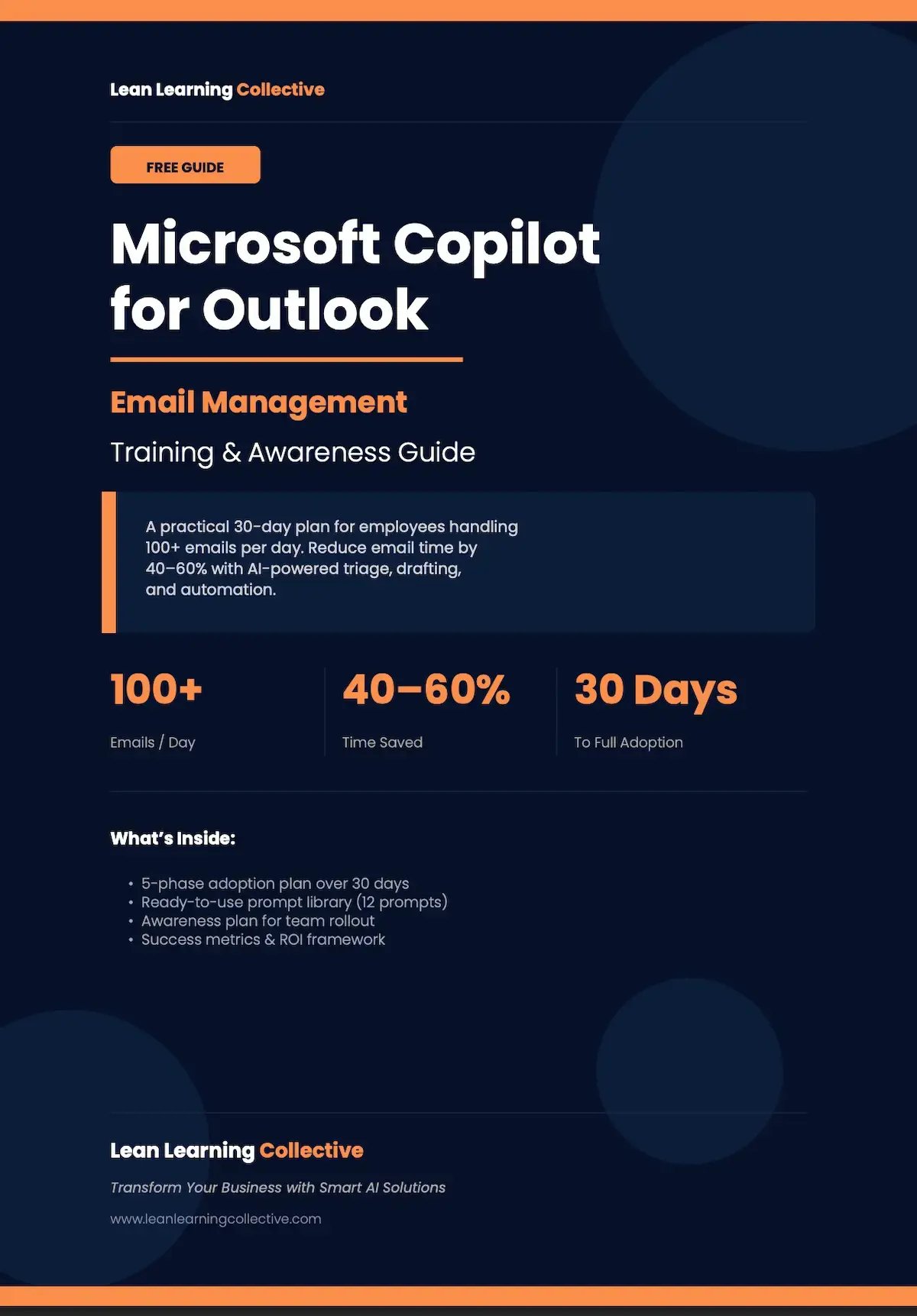
## **Want the Guide?**
We've made the full **Microsoft Copilot for Outlook Email Management Guide** available as a free download. It includes the complete 30-day adoption plan, the 12-prompt library, the awareness plan, and the success metrics framework.
[**Contact us for the free guide →**](https://www.leanlearningcollective.com/contact-us)
Or if you'd rather we delivered this as a hands-on training workshop for your team,[get in touch](https://www.leanlearningcollective.com/contact-us) and we'll set up a discovery call.

**[Graeme Hogg](https://www.leanlearningcollective.com/blog/author/graeme-hogg)**
Apr 9, 2026, 2:33:20 PM
An Operations Consultant and Coach, Graeme lives and breathes operational excellence. Unlike typical consultants, he is known for his "boots on the ground" approach, engaging directly with teams and situations to drive meaningful change.
### Ready to Transform Your Operations?
Have a question, project idea, or just want to say hello? Reach out to our team. We’d love to hear from you.

- [Case Studies](https://www.leanlearningcollective.com/case-studies)
- [About Us](https://www.leanlearningcollective.com/about-us)
- [Who We Help](https://www.leanlearningcollective.com/who-we-help)
- [Blog](https://www.leanlearningcollective.com/blog)
- [Leana AI-Detective](https://www.leanlearningcollective.com/leana-ai-detective)
- [Smart-Stop Productivity](https://www.leanlearningcollective.com/smartstop-productivity)
- [Smart-OTIF Delivery](https://www.leanlearningcollective.com/smartotif-delivery)
- [Custom Integrations](https://www.leanlearningcollective.com/custom-workflow-integrations)
- [Book a Demo](https://www.leanlearningcollective.com/book-a-demo)
- [Instant AI Opportunity Audit](https://www.leanlearningcollective.com/ai-audit)
© 2026 Lean Learning Collective Ltd. All Rights Reserved. [Privacy Policy](https://www.leanlearningcollective.com/privacy-policy) | [Terms & Conditions](https://www.leanlearningcollective.com/terms-conditions)
-
-
-
```json
{
"@context" : "https://schema.org",
"@type" : "BlogPosting",
"author" : {
"@type" : "Person",
"name" : "Graeme Hogg",
"url" : "https://www.leanlearningcollective.com/blog/author/graeme-hogg"
},
"dateModified" : "2026-04-09T14:26:24.803Z",
"datePublished" : "2026-04-09T13:33:20.000Z",
"headline" : "He Was Drowning in 120 Emails a Day. One Prompt Changed Everything.",
"image" : [ "https://www.leanlearningcollective.com/hubfs/Copilot%20on%20Laptop%20image.webp" ],
"mainEntityOfPage" : {
"@id" : "https://www.leanlearningcollective.com/blog/he-was-drowning-in-120-emails-a-day.-one-prompt-changed-everything",
"@type" : "WebPage"
},
"publisher" : {
"@type" : "Organization",
"logo" : {
"@type" : "ImageObject",
"url" : "https://www.leanlearningcollective.com/hubfs/LLC-Logo-main-line-white.png"
},
"name" : "Lean Learning Collective"
}
}
```